Available for Mac & Windows.
AI meeting notes.
100% on your device.
Turn any meeting into structured notes, a word-for-word transcript, and action items. Online or in person, with AI that runs locally on your computer. No cloud. No bot. Nothing to leak.
macOS (Apple Silicon) & Windows (64-bit) · Free 7-day trial · No card required.
Their privacy is a policy.
Ours is architecture.
Every cloud note taker asks you to trust what happens to your audio after they have it. We built a note taker where they never get it.
Privacy by policy
Every cloud note taker
- Hosted in a chosen region, so you trust where the servers are
- Encrypted in transit and at rest, so you trust the keys are handled well
- Deleted on request, so you trust the deletion actually happens
- “We don’t train on your data”, so you trust the pledge outlives the roadmap
Privacy by architecture
Private Notetaker
- ✓Audio is captured, transcribed, and summarized on your hardware
- ✓There is no server holding your meetings to breach or subpoena
- ✓Nothing to delete, because nothing was ever collected
- ✓No pledge required. The data simply is not there
Don't take our word for it. Turn WiFi off and watch it keep working.
Built private from the ground up
Cloud note takers process your meetings on their servers. Ours never get the chance. Recording, transcription, and AI summaries all happen on your device.
| Private Notetaker | Otter | Granola | Fireflies | Fathom | |
|---|---|---|---|---|---|
| Where meetings are processed | On your device | Their cloud | Their cloud | Their cloud | Their cloud |
| Bot joins your call | Never | Yes | No | Yes | Yes |
| Works offline | Yes | No | No | No | No |
| How privacy is enforced | Architecture: audio never leaves your device | Policy: certifications and deletion promises | Policy: certifications and deletion promises | Policy: certifications and deletion promises | Policy: certifications and deletion promises |
| Who can read your notes | Only you | You + Otter | You + Granola | You + Fireflies | You + Fathom |
| Price | $15/mo or $149 once | $16.99/mo | $14/user/mo | $18/mo | $19/user/mo (teams) |
Competitor pricing as published 16 September 2026.
How it works
On-device transcription and notes, in three steps.
Hit record
No bot joins and nothing appears in the participant list. Works with Zoom, Google Meet, Teams, a phone on speaker, or a conversation across the table. You can also import existing recordings.
Local AI transcribes
A Whisper-class model turns speech into text and a local language model writes the summary. All of it on your hardware. Offline transcription is not a mode, it is how the app always works.
Notes, done
Summary, key decisions, action items, and the full word-for-word transcript, ready the moment you stop recording. Searchable forever, stored only on your machine.
A full meeting assistant.
Minus the surveillance.
Stay fully in the conversation. The notes, decisions, and follow-ups write themselves the moment you hang up.
Every meeting, captured
Hit record on any call or in-person conversation. Zoom, Meet, Teams, or a coffee table. If you can hear it, it can take notes on it.
Notes, not homework
Summary, key decisions, action items, and deadlines, structured automatically the moment the meeting ends.
Your whole history, searchable
Every transcript and note lives on your machine, indexed and searchable. Find what a client said in May in about two seconds.
Works offline
The AI runs on your hardware, so airplane mode is a feature. Record in a basement conference room, get notes anyway.
Walk out of every meeting with the notes already done
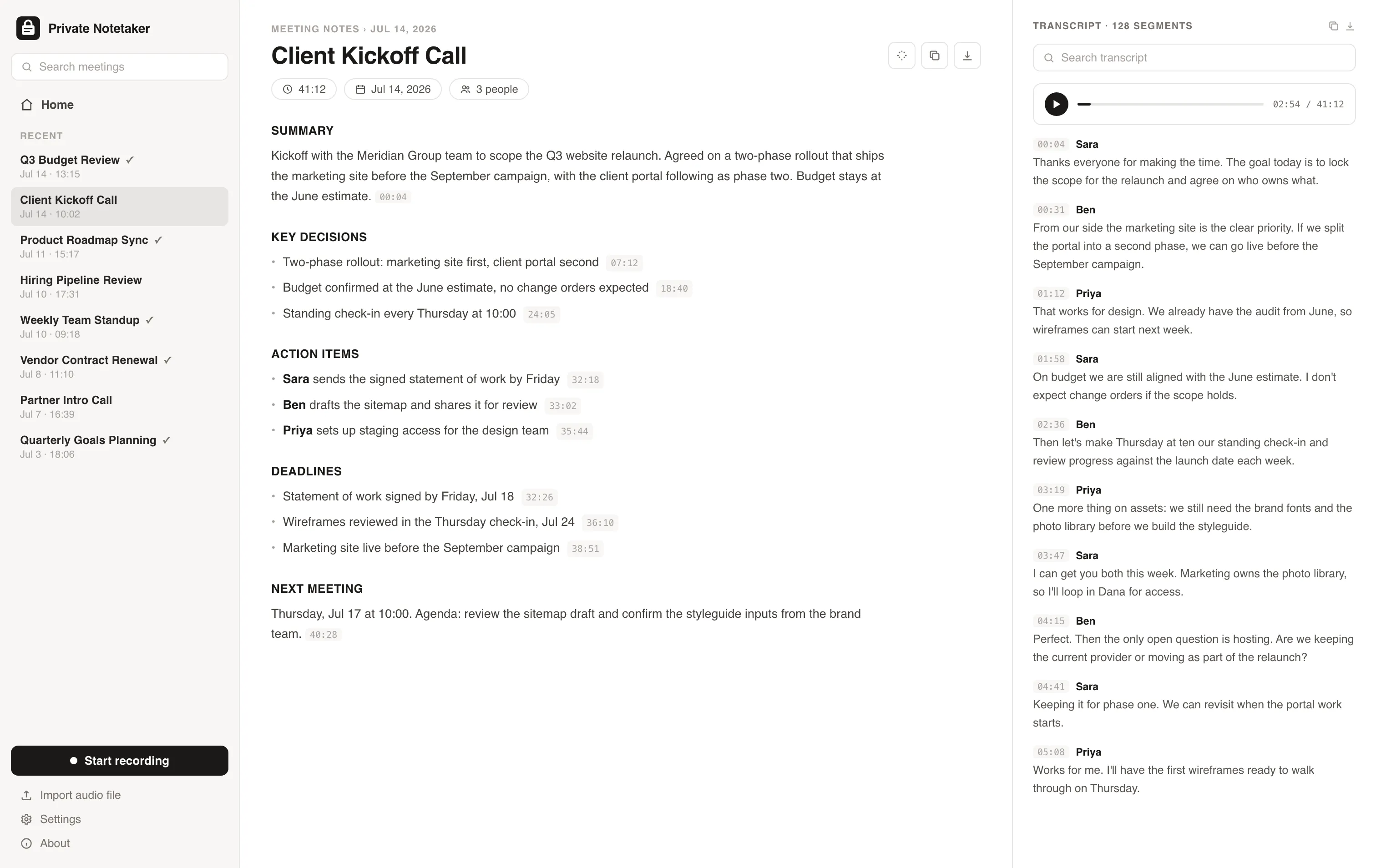
The moment you stop recording, you get a structured brief: summary, key decisions, action items with owners, and critical deadlines. Each point is timestamped back to the exact second in the audio, so you can verify anything in one click.
The full transcript, word for word
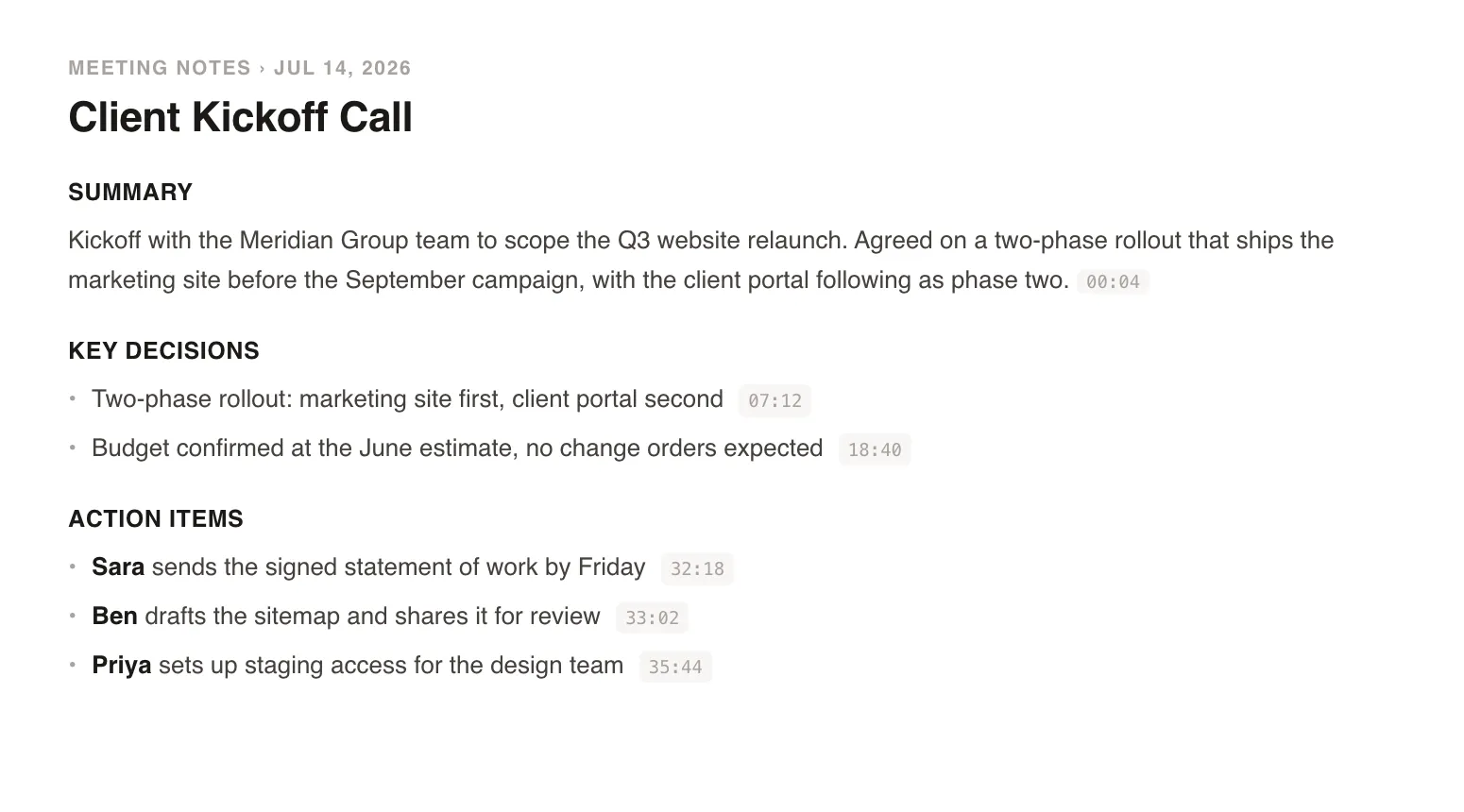
Every meeting gets a complete, searchable transcript with an audio player attached. Search across everything you have ever recorded and jump straight to the moment it was said. All of it indexed on your machine, none of it on anyone's server.
Native, fast, and easy on the eyes
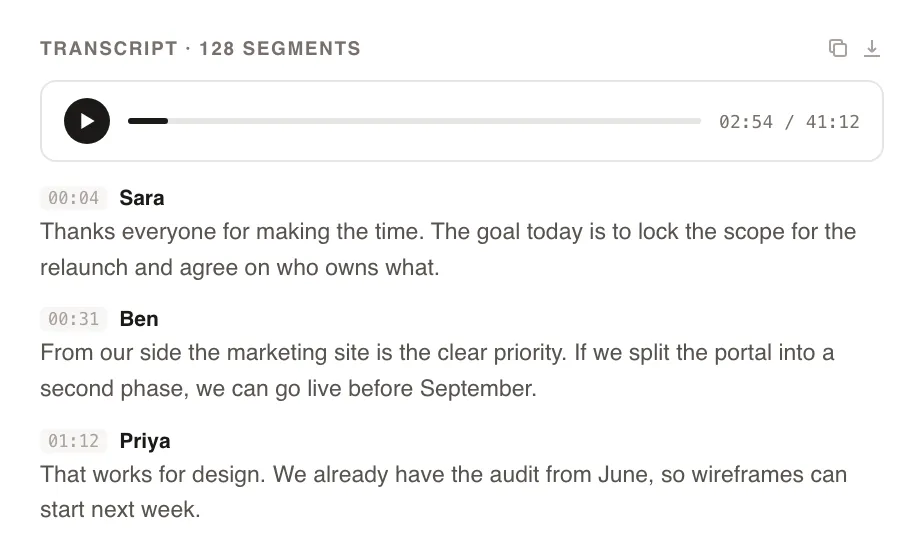
A clean desktop app with light and dark mode, built to sit next to you in every meeting. Import old recordings, add context before a call, and keep months of meetings organized without a browser tab in sight.
Built for people whose meetings can't leak
If your conversations are confidential by law, by contract, or by trust, the safest place for them is hardware you own.
Consultants
Client revenue, roadmaps, and contracts stay between you and the client.
Financial advisors
Portfolio details and account conversations never touch a third-party server.
Therapists & coaches
Session confidentiality without a cloud processor in the room.
Lawyers
Privileged conversations stay privileged. No outside processing to explain.
Founders & dealmakers
Fundraising, M&A, and board calls with no copy on someone else's infrastructure.
Journalists & researchers
Protect sources and unpublished work by never uploading them anywhere.
The strongest compliance posture is data that never existed elsewhere
With a cloud note taker, your meetings become someone else's data to secure: a processor to vet, a data processing agreement to sign, one more vendor in your HIPAA or GDPR risk assessment. Private Notetaker removes the question. Recordings, transcripts, and notes are created and stored on your device, so there is no third party handling your meeting audio at all.
Private Notetaker is software you run, not a data processor. We don't hold certifications because we never hold your data. Always confirm the requirements that apply to your profession.
I built this for myself. I live in back-to-back client calls, and I was never comfortable piping confidential conversations about clients' revenue, ad accounts, and contracts through someone else's cloud just to get a summary. So I made a note taker where everything stays on my machine. I have used it every working day since. Now I am opening it up.
Simple pricing. Either way, it is all yours.
Available for Mac & Windows. Pay once or monthly, whichever suits you.
Monthly
Cancel anytime. The notes you took stay yours.
- ✓Unlimited meetings and recording time
- ✓Local transcription and AI summaries
- ✓Full-history search on your device
- ✓Light and dark mode, Mac + Windows
- ✓No account required to take notes
Lifetime
Pay once, yours forever. Includes updates.
- ✓Unlimited meetings and recording time
- ✓Local transcription and AI summaries
- ✓Full-history search on your device
- ✓Light and dark mode, Mac + Windows
- ✓No account required to take notes
- ✓Never a subscription
Prefer to try first? Download the app and use it free for 7 days, no card needed. Buying charges right away and is backed by a 30-day money-back guarantee.
Questions, answered
How is this actually private? +
The entire pipeline runs on your computer: audio capture, speech-to-text, and the AI that writes your summaries. Your recordings and notes are files on your device. There is no Private Notetaker cloud, no sync server, and no way for us to read anything even if we wanted to.
Where are my recordings, transcripts, and notes stored? +
On your own disk, as regular files on your computer. Nothing is uploaded, synced, or backed up to any server. If you delete a meeting, it is gone. If you want backups, your normal machine backup covers it.
How do I know audio never leaves my device? +
Test it. Switch on airplane mode and record a meeting: transcription and summaries still work, because the models run on your machine. Watch the app with a network monitor if you like. Recordings, transcripts, and notes never leave your device.
Can AI transcribe my meetings offline, without an internet connection? +
Yes. Private Notetaker transcribes and summarizes completely offline because the speech-to-text and language models run on your computer, not in a data center. Record on a plane, in a dead zone, or with WiFi off, and it works exactly the same.
Are you HIPAA or GDPR certified? +
We don't hold certifications, because we never hold your data. Certifications audit what a company does with the data it collects, and Private Notetaker collects nothing: audio is processed on your device and notes are files on your disk. That usually makes the compliance conversation short, but do check the requirements for your profession. We are software you run, not a data processor.
Does a bot join my meetings? +
No. Nothing joins your call and nothing shows up in the participant list. The app listens locally on your machine while you take the meeting like a normal person.
How is Private Notetaker different from Otter, Granola, or Fireflies? +
Those tools process your meetings on their servers, and some send a bot into your calls. Private Notetaker does everything on your device: no cloud processing, no bot, and it works offline. If your meetings are confidential, that difference is the whole point.
Which platforms does it run on? +
Mac and Windows. It works with any meeting software, Zoom, Google Meet, Teams, or a phone on speaker, because it captures audio on your device rather than plugging into the meeting itself.
I handle confidential conversations. Can I use this? +
That is exactly who it is built for: advisors, consultants, lawyers, therapists, anyone whose meetings are nobody else's business. Because audio and notes never leave your device, there is no third party processing your clients' information. We do not make legal compliance claims for your specific profession, but 'it never leaves the machine' is the strongest starting point there is.
Which AI models does it use? +
Open, state-of-the-art models that run on your hardware: a Whisper-class model for speech-to-text and a local language model for summaries and action items. No API keys, no cloud calls.
What languages are supported? +
English today. More languages are on the roadmap.
What hardware do I need? +
A reasonably modern machine. On Mac, Apple Silicon is recommended. The models are optimized to run on everyday laptops, not server racks.
Is there an AI note taker without a subscription? +
Yes, this one. Private Notetaker offers a $149 lifetime license: pay once and it is yours forever, no monthly fee. Because the AI runs on your computer instead of our servers, there is no ongoing cloud bill forcing a subscription. A $15 per month plan exists too if you prefer it.
What does it cost? +
$15 per month, or a $149 lifetime license. Want to try it first? Download the app and use it free for 7 days, no card and no account needed. When you buy, checkout is charged right away, and every purchase has a 30-day money-back guarantee.
Your meetings are nobody else's business.
Download the AI note taker that keeps everything on your device. Free for 7 days, no account, no card.
Mac & Windows.