Updated September 2026
The private Fellow alternative
Fellow is a meeting workspace: agendas, shared notes, and an AI note taker on top. You can send the Note Taker into the call, or record from the desktop app with no bot. Either way the transcript is in Fellow's cloud. A local app does not replace the agendas. It replaces the archive.
macOS (Apple Silicon) & Windows (64-bit) · Free 7-day trial · No card required.
| Private Notetaker | Fellow | |
|---|---|---|
| Where meetings are processed | 100% on your device | Transcripts and notes stored in Fellow, on AWS |
| Bots in your meetings | Never | Note Taker bot, or botless capture from the desktop app |
| Works offline | Yes | No. Botless capture is local; the transcript is not |
| How privacy is enforced | Architecture: audio never leaves your device | Policy: GDPR and SOC 2 Type II listed; HIPAA / BAA on Enterprise |
| Where your meetings live | Only on your own disk | Recordings and notes live in your Fellow workspace |
| Price | $15/mo or $149 once, yours forever | Free for 5 AI notes lifetime; Team $7/user/mo billed annually |
Fellow facts and pricing as published 30 September 2026. Free plan: 5 AI notes and 5 recordings per user, lifetime.
Their privacy is a policy.
Ours is architecture.
Privacy by policy
Every cloud note taker
- Hosted in a chosen region, so you trust where the servers are
- Encrypted in transit and at rest, so you trust the keys are handled well
- Deleted on request, so you trust the deletion actually happens
- “We don’t train on your data”, so you trust the pledge outlives the roadmap
Privacy by architecture
Private Notetaker
- ✓Audio is captured, transcribed, and summarized on your hardware
- ✓There is no server holding your meetings to breach or subpoena
- ✓Nothing to delete, because nothing was ever collected
- ✓No pledge required. The data simply is not there
Don't take our word for it. Turn WiFi off and watch it keep working.
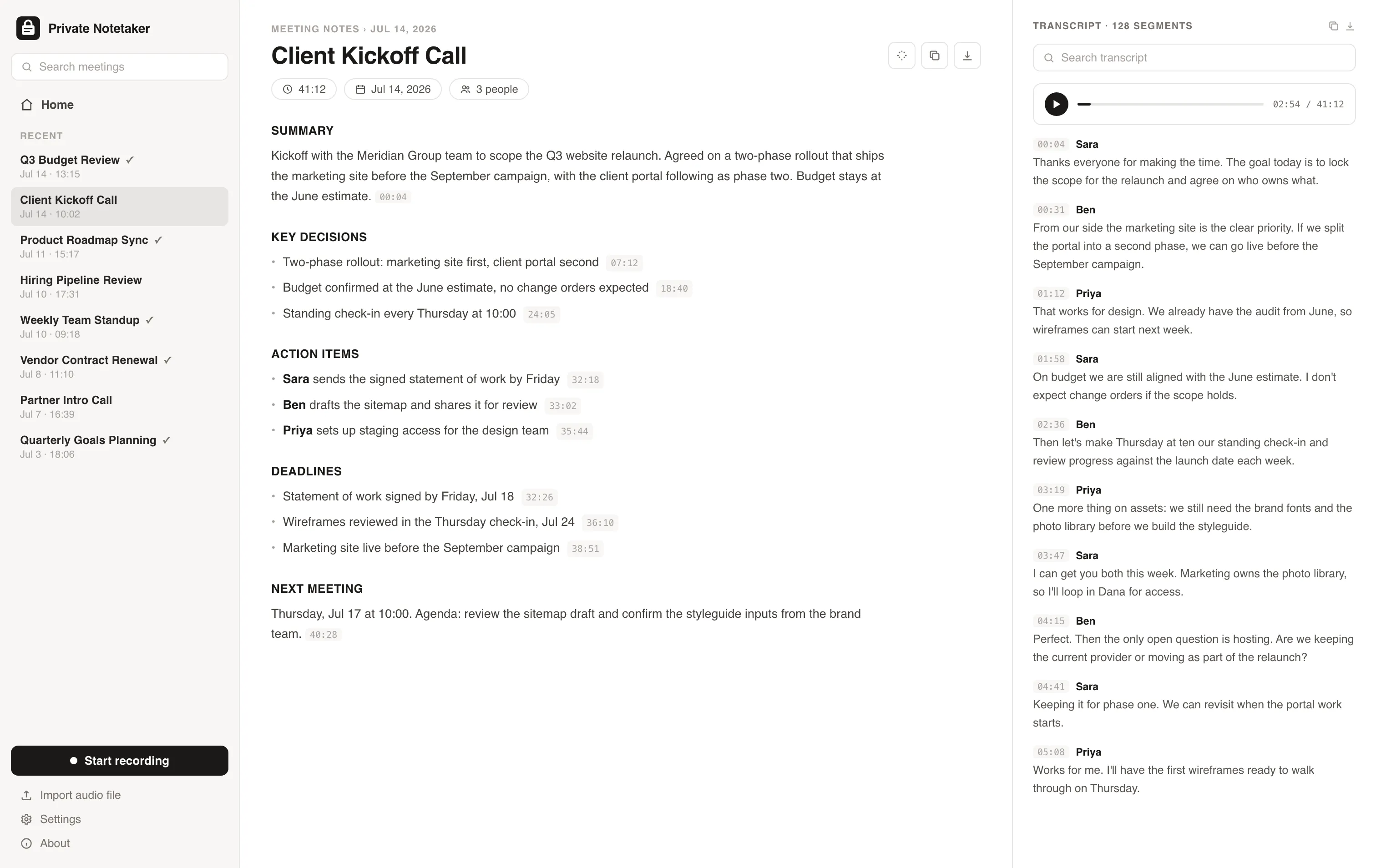
I built this for myself. I live in back-to-back client calls, and I was never comfortable piping confidential conversations about clients' revenue, ad accounts, and contracts through someone else's cloud just to get a summary. So I made a note taker where everything stays on my machine. I have used it every working day since. Now I am opening it up.
Simple pricing. Either way, it is all yours.
Available for Mac & Windows. Pay once or monthly, whichever suits you.
Monthly
Cancel anytime. The notes you took stay yours.
- ✓Unlimited meetings and recording time
- ✓Local transcription and AI summaries
- ✓Full-history search on your device
- ✓Light and dark mode, Mac + Windows
- ✓No account required to take notes
Lifetime
Pay once, yours forever. Includes updates.
- ✓Unlimited meetings and recording time
- ✓Local transcription and AI summaries
- ✓Full-history search on your device
- ✓Light and dark mode, Mac + Windows
- ✓No account required to take notes
- ✓Never a subscription
Prefer to try first? Download the app and use it free for 7 days, no card needed. Buying charges right away and is backed by a 30-day money-back guarantee.
Fellow questions, answered
Does Fellow process meetings in the cloud? +
Yes. Fellow's pricing FAQ says data is hosted on Amazon Web Services. Botless recording captures audio on your Mac or Windows PC, and the transcript, summary, and recording still live in Fellow. Private Notetaker keeps that whole pipeline on the device.
Does Fellow join meetings with a bot? +
It can. The Fellow Note Taker joins Zoom, Google Meet, and Teams. Botless recording, from the desktop app, does not put a bot in the participant list. Fellow's help centre says Zoom will require an authorized app before the Note Taker can join, starting 14 October 2026. Botless recording is the path they say keeps working. Private Notetaker never joins.
What is the difference between Private Notetaker and Fellow? +
Fellow is the meeting system: agendas, action items, a shared workspace, and AI notes with a small free cap (5 lifetime AI notes per user on the page we checked). Private Notetaker is a local app for one person's confidential calls. $15/mo or a $149 lifetime license, with a 7-day free trial and no card required. No agendas, no team library, no bot.
Does Fellow work offline? +
No. Botless capture needs the desktop app, and the transcript needs Fellow's service. Private Notetaker transcribes and summarizes with no internet connection.
Where does Fellow store recordings compared with Private Notetaker? +
In your Fellow workspace, on AWS. The free plan includes 5 AI recordings per user, lifetime. Business lists unlimited recordings. Private Notetaker stores recordings, transcripts, and notes as files on your disk and does not keep a server copy.
Is Fellow HIPAA compliant? +
Fellow's pricing page lists HIPAA / BAA with the Enterprise controls, not on Free, Team, or Business. Enterprise is $25 per user a month billed annually, from 10 users. Private Notetaker does not claim HIPAA certification. Check the requirements for your profession.
Further reading
Your meetings are nobody else's business.
Download the AI note taker that keeps everything on your device. Free for 7 days, no account, no card.
Mac & Windows.