The AI note taker for in-person meetings
Across a table there is no call for a bot to join and no meeting platform to transcribe. Private Notetaker turns your laptop into the note taker: it listens through the microphone, transcribes on the device, and writes the notes without the conversation ever leaving the room.
macOS (Apple Silicon) & Windows (64-bit) · Free 7-day trial · No card required.
| Private Notetaker | Wearable and desk recorders | Phone recorder apps (Otter, Fireflies, Notta) | |
|---|---|---|---|
| Where the conversation is processed | 100% on your device | Most upload the audio to the maker's service for transcription and notes | On the vendor's servers |
| What the room sees | Nothing. It runs on your computer, not in the meeting | A device on the table or a pendant on you | A phone recording on the table |
| Needs a paid plan | No hardware needed. Works for meetings you host and ones you join | A hardware purchase, usually plus a plan for AI notes | Free tiers with monthly caps; paid seats for full use |
| Works offline | Yes, fully | Records offline; notes need a connection | No |
| Where your notes live | Only on your own disk | The maker's cloud, synced to its app | The vendor's cloud |
| Audio quality | Your laptop microphone; best in a quiet room | Purpose-built microphones; better in noisy rooms | A phone microphone |
| Price | $15/mo or $149 once, yours forever | See each vendor's pricing page | |
Platform and vendor facts as published on their own pages, checked 16 September 2026.
Their privacy is a policy.
Ours is architecture.
Privacy by policy
Every cloud note taker
- Hosted in a chosen region, so you trust where the servers are
- Encrypted in transit and at rest, so you trust the keys are handled well
- Deleted on request, so you trust the deletion actually happens
- “We don’t train on your data”, so you trust the pledge outlives the roadmap
Privacy by architecture
Private Notetaker
- ✓Audio is captured, transcribed, and summarized on your hardware
- ✓There is no server holding your meetings to breach or subpoena
- ✓Nothing to delete, because nothing was ever collected
- ✓No pledge required. The data simply is not there
Don't take our word for it. Turn WiFi off and watch it keep working.
How it works with in-person meetings
In person, Private Notetaker uses the microphone. Put the laptop between the speakers, keep it within a couple of metres, and expect the transcript to be as good as the room is quiet. In a noisy café a dedicated recorder will pick up voices better; nothing changes the fact that its notes are written somewhere else.
Hit record
Open Private Notetaker before the conversation and press record. No bot joins, nothing appears in the participant list, and no device setting is involved.
Local AI transcribes
A Whisper-class model turns speech into text and a local language model writes the summary. All of it on your hardware, so it works offline and nothing is uploaded.
Notes, done
Summary, key decisions, action items, and the full transcript, ready the moment you stop recording. Searchable forever, stored only on your machine.
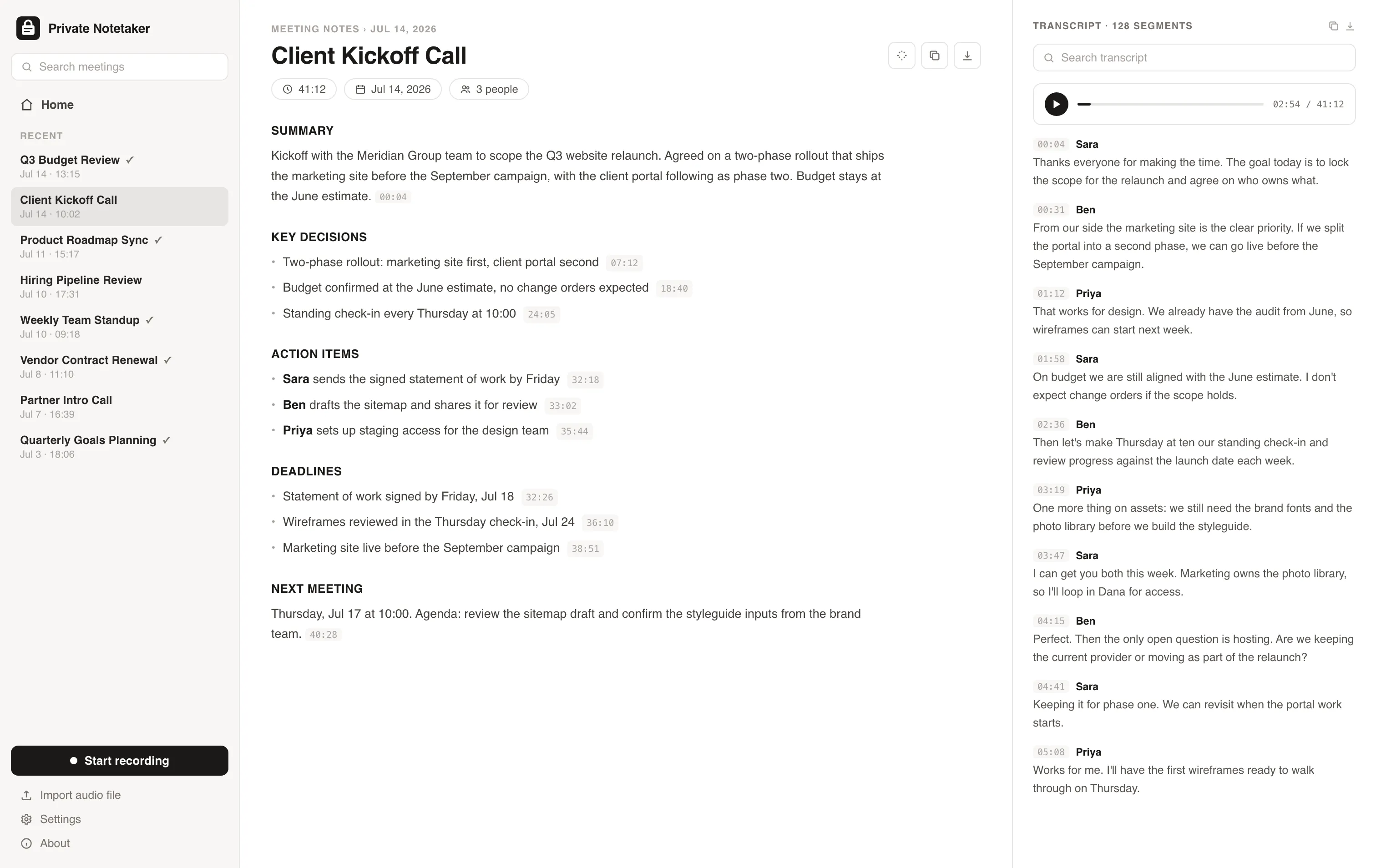
I built this for myself. I live in back-to-back client calls, and I was never comfortable piping confidential conversations about clients' revenue, ad accounts, and contracts through someone else's cloud just to get a summary. So I made a note taker where everything stays on my machine. I have used it every working day since. Now I am opening it up.
Simple pricing. Either way, it is all yours.
Available for Mac & Windows. Pay once or monthly, whichever suits you.
Monthly
Cancel anytime. The notes you took stay yours.
- ✓Unlimited meetings and recording time
- ✓Local transcription and AI summaries
- ✓Full-history search on your device
- ✓Light and dark mode, Mac + Windows
- ✓No account required to take notes
Lifetime
Pay once, yours forever. Includes updates.
- ✓Unlimited meetings and recording time
- ✓Local transcription and AI summaries
- ✓Full-history search on your device
- ✓Light and dark mode, Mac + Windows
- ✓No account required to take notes
- ✓Never a subscription
Prefer to try first? Download the app and use it free for 7 days, no card needed. Buying charges right away and is backed by a 30-day money-back guarantee.
In-person meetings questions, answered
How to use AI to take notes during an in-person meeting? +
Open the app before the conversation starts, press record, and let the laptop listen. With a local tool the transcription and notes are produced on the machine as the meeting ends. Tell the other people you are recording: in all-party consent states that is the law, and everywhere it is the polite thing to do.
What is the best note-taking app for in-person meetings? +
The one whose capture matches the room and whose processing matches the confidentiality. For a quiet office, a laptop microphone with on-device processing keeps everything private. For a noisy room, a dedicated recorder captures better audio at the cost of uploading it. Bots are not an option at all, because there is no call to join.
Can Otter AI work for in-person meetings? +
Yes, through its phone or web app recording the room. The audio is then processed and stored on Otter's servers, the same as with its meeting bot. If that is acceptable, it works. If the meeting is confidential, it is the same trade-off as any cloud tool.
Can I use Fireflies AI for in-person meetings? +
Yes. Fireflies' mobile app records in-person conversations and uploads them for transcription and notes on Fireflies' servers. It is a cloud workflow with a different capture method, not a private one.
Recording law is real: read which states need everyone's consent before you rely on any of this.
Further reading
Your meetings are nobody else's business.
Download the AI note taker that keeps everything on your device. Free for 7 days, no account, no card.
Mac & Windows.