Updated September 2026
The private Mac Note Taker alternative
Mac Note Taker is a local-first recorder for Apple Silicon Macs. It captures microphone and system audio without a bot, transcribes and labels speakers on the Mac, and writes summaries through Ollama or an OpenAI-compatible key you supply. The list price is $149 once for up to three Macs. There is no Windows app, and Intel Macs are unsupported. Private Notetaker is the closer fit when the other computer might be Windows, or when you want the summary model bundled so there is nothing to point at a cloud endpoint.
macOS (Apple Silicon) & Windows (64-bit) · Free 7-day trial · No card required.
| Private Notetaker | Mac Note Taker | |
|---|---|---|
| Where meetings are processed | 100% on your device | On-device recording and transcription; summaries via Ollama or your own key |
| Bots in your meetings | Never | No bot; mic and system audio via ScreenCaptureKit |
| Works offline | Yes | Transcription yes; summaries only with Ollama |
| How privacy is enforced | Architecture: audio never leaves your device | Recording and transcription stay on the Mac; summaries follow the backend you pick |
| Where your meetings live | Only on your own disk | Audio and transcripts stay on the Mac; an API key sends transcript text to that endpoint |
| Price | $15/mo or $149 once, yours forever | $149 once for up to 3 Macs; a capped founder coupon was listed at $79 |
Mac Note Taker facts and pricing as published 23 September 2026. First 3 meetings free, no card.
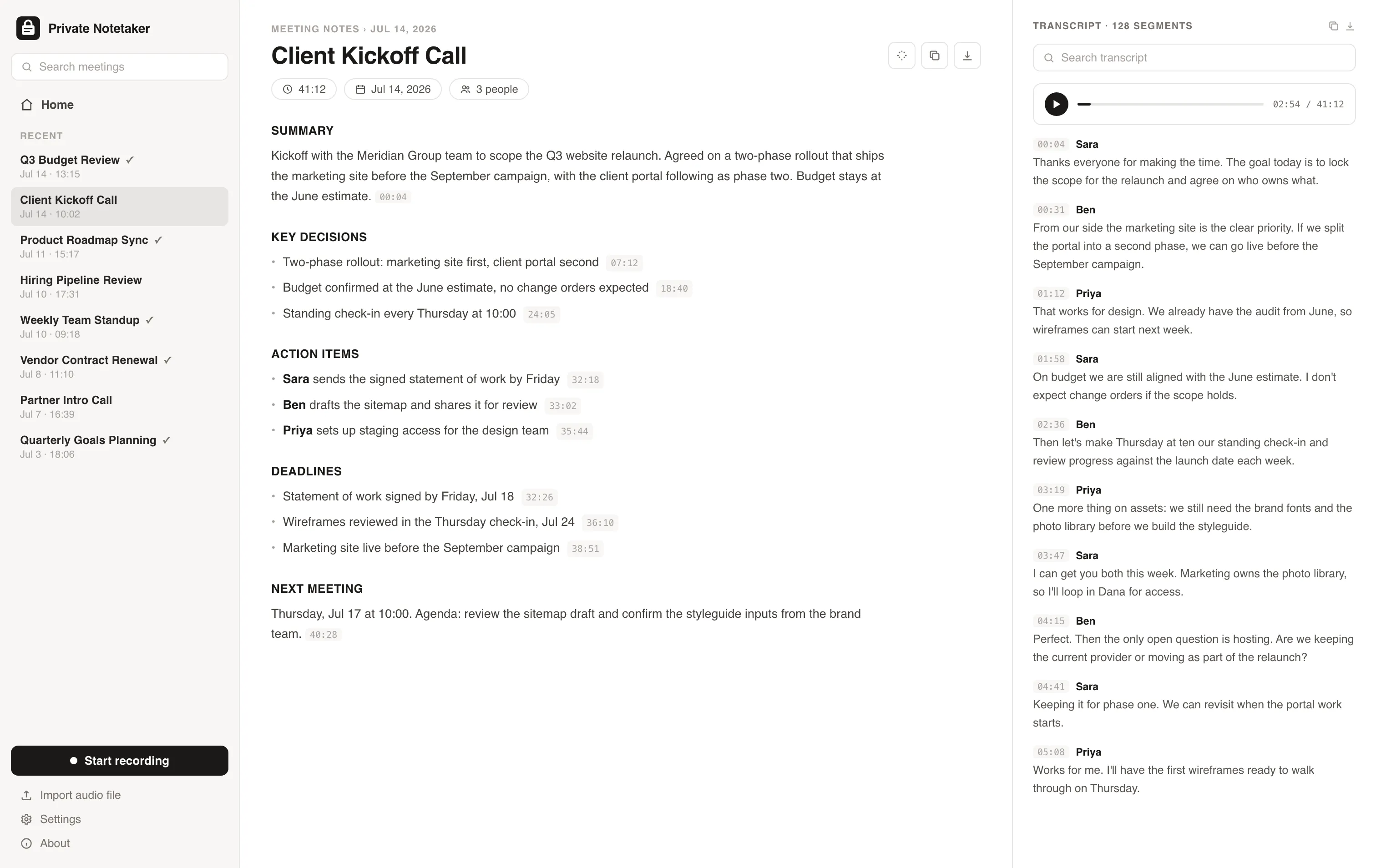
I built this for myself. I live in back-to-back client calls, and I was never comfortable piping confidential conversations about clients' revenue, ad accounts, and contracts through someone else's cloud just to get a summary. So I made a note taker where everything stays on my machine. I have used it every working day since. Now I am opening it up.
Simple pricing. Either way, it is all yours.
Available for Mac & Windows. Pay once or monthly, whichever suits you.
Monthly
Cancel anytime. The notes you took stay yours.
- ✓Unlimited meetings and recording time
- ✓Local transcription and AI summaries
- ✓Full-history search on your device
- ✓Light and dark mode, Mac + Windows
- ✓No account required to take notes
Lifetime
Pay once, yours forever. Includes updates.
- ✓Unlimited meetings and recording time
- ✓Local transcription and AI summaries
- ✓Full-history search on your device
- ✓Light and dark mode, Mac + Windows
- ✓No account required to take notes
- ✓Never a subscription
Prefer to try first? Download the app and use it free for 7 days, no card needed. Buying charges right away and is backed by a 30-day money-back guarantee.
Mac Note Taker questions, answered
Is Mac Note Taker private? +
Recording, transcription, and speaker diarization run on the Mac, and the publisher says audio stays on the machine. Summaries use a local Ollama model or an OpenAI-compatible key you supply. The local path keeps the notes on the Mac. The key path sends transcript text to that endpoint. There is no Windows version. Private Notetaker has no cloud summary mode, and it also runs on Windows.
Does Mac Note Taker work on Windows? +
No. The publisher requires macOS 14.2 or later on Apple Silicon. Intel Macs are not supported, and there is no Windows app. Private Notetaker runs on Apple Silicon and on Windows (64-bit). Pandecho and Meetily also ship on Windows.
What is the difference between Private Notetaker and Mac Note Taker? +
Mac Note Taker is a personal Mac app: on-device capture and transcription, summaries through Ollama or your own key, and a $149 lifetime licence for up to three Macs. Private Notetaker ships the summary model on the device, has no cloud summary mode, and runs on Mac and Windows. $15/mo or a $149 lifetime license, with a 7-day trial and no card required. If you only have Macs, want three activations, and you are happy running Ollama, Mac Note Taker's licence may suit you better.
Does Mac Note Taker summarize without an API key? +
Only if you run a local model through Ollama. Otherwise summaries go to an OpenAI-compatible endpoint you configure. Transcription itself does not need that key. Private Notetaker writes the summary, decisions, and action items with a model that ships on the device, so there is no Ollama install and no key.
Does Mac Note Taker join meetings with a bot? +
No. It captures microphone and system audio on the Mac through ScreenCaptureKit. Nothing joins the Zoom, Meet, Teams, Slack, or Webex call. Private Notetaker also never appears in the participant list. You still need consent to record.
How much does Mac Note Taker cost? +
The published list price, checked 23 September 2026, is $149 once, for up to three Macs, with lifetime updates. A capped founder coupon was listed at $79. The coupon count moves, so plan around $149 and confirm macnotetaker.com/pricing. The download page says the first three meetings are free, with no card. Private Notetaker is $15/mo or a $149 lifetime license. The lifetime prices match. Private Notetaker also has a $15 monthly plan, and the licence is not described as three Macs.
Further reading
- Mac Note Taker review (2026): local Mac meeting notes, if you bring the model
- MacWhisper review (2026): excellent local transcripts, and a separate step for notes
- Pandecho review (2026): a local Mac and Windows notetaker, priced once or at $10 a month
- AI note takers that don't join your meeting
- AI note takers without a subscription
Your meetings are nobody else's business.
Download the AI note taker that keeps everything on your device. Free for 7 days, no account, no card.
Mac & Windows.